By the end of this assignment, you will be able to:
Add external, internal and inline styles to web pages
Use CSS for horizontal and vertical text alignment, text indentation, text spacing, text effects, fonts, color, size, layout, margins, padding and spacing
Use CSS styling for links
Select a harmonious color scheme for your pages
You will be adding an external style sheet to your assignments page and you will be adding an internal style sheet to the <details><summary> page you created in last weeks lab assignment.
To see a video overview, watch: https://youtu.be/oJ4Aj3xrMgQ
1. Copy the <details><summary> file you created last week from the Lesson3 folder to the Lesson4 folder
2. Copy the images used in your page from the Lesson3/media folder to the Lesson4/media folder
3. Select a color scheme for the page:
4. Create an internal style sheet that applies the following CSS properties:
NOTE: You decide what the settings should be. You can include more styling than the required list (the list is the minimum)
5. View the page offline and make adjustments as needed
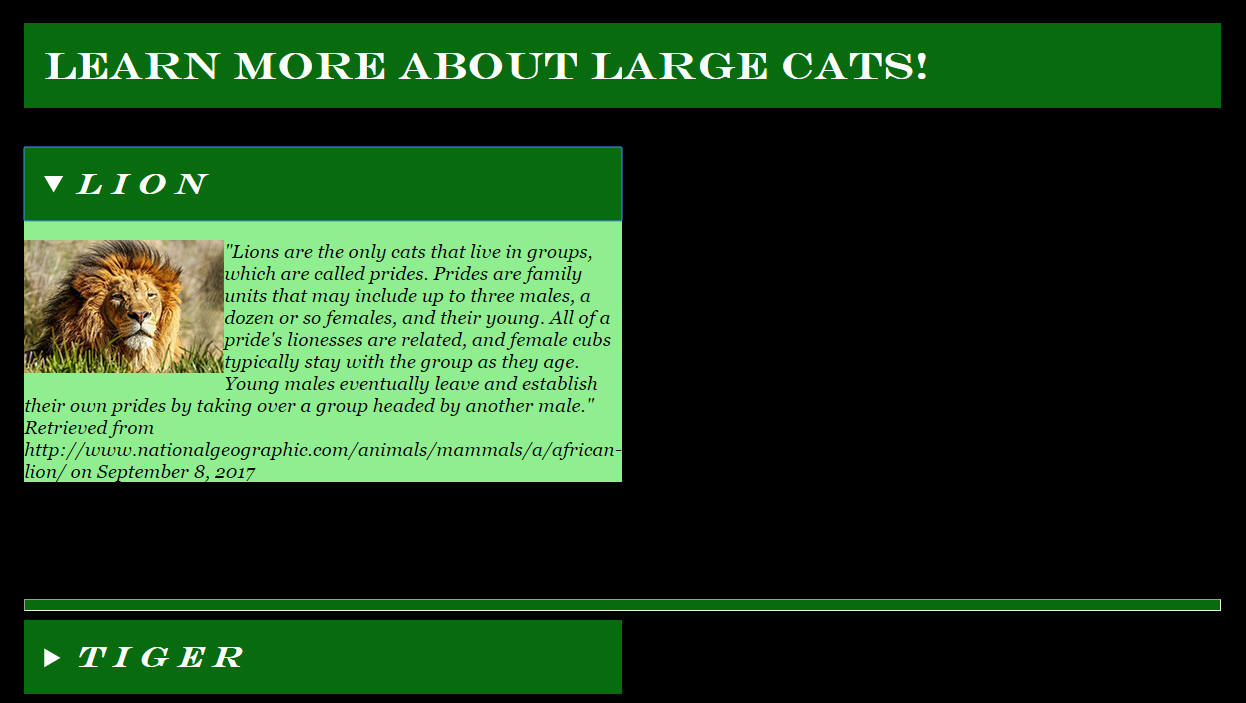
Example of a completed page:
6. Transfer the page to the Lesson4 folder on the web
7. Transfer the images into the Lesson4/media folder on the web.
We are going to 1) add assignment 4 links to the page; 2) select a color scheme for text and links; 3) create an external style sheet; and 4) link the stylesheet into the page.
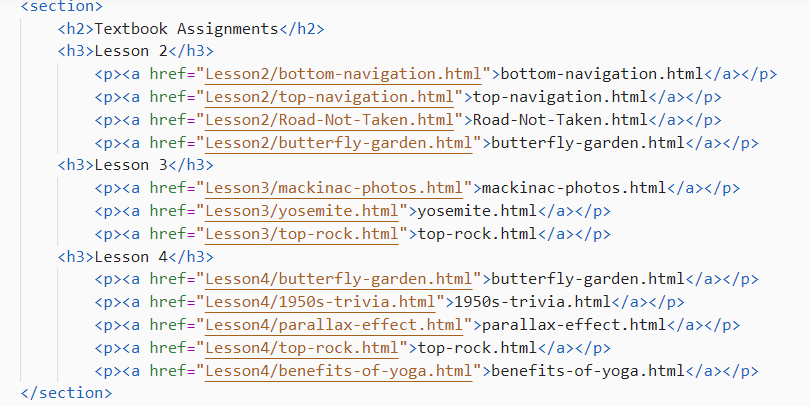
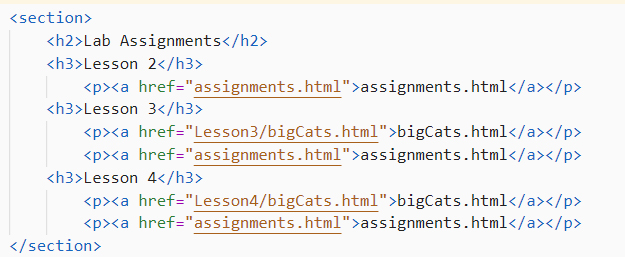
1) Add the following code to assignments.html for lesson4 links:
2) To create a color scheme you can use any of the websites discussed in the lecture OR you can upload your background graphic to LunaPics and pull colors from the graphic (the adobe site above also lets you upload a graphic and pull colors from it). To see a video demonstration showing how to do that, watch: https://youtu.be/_eH8OiLcPJk
3) Create an external style sheet named assignments.css and save the file into the CIT180/css folder. Add a link to the assignments.css file below the <title> tags.
a) Minimum style requirements include:
body
a:link
a:visited
a:hover
a:active
h1
h2, h3
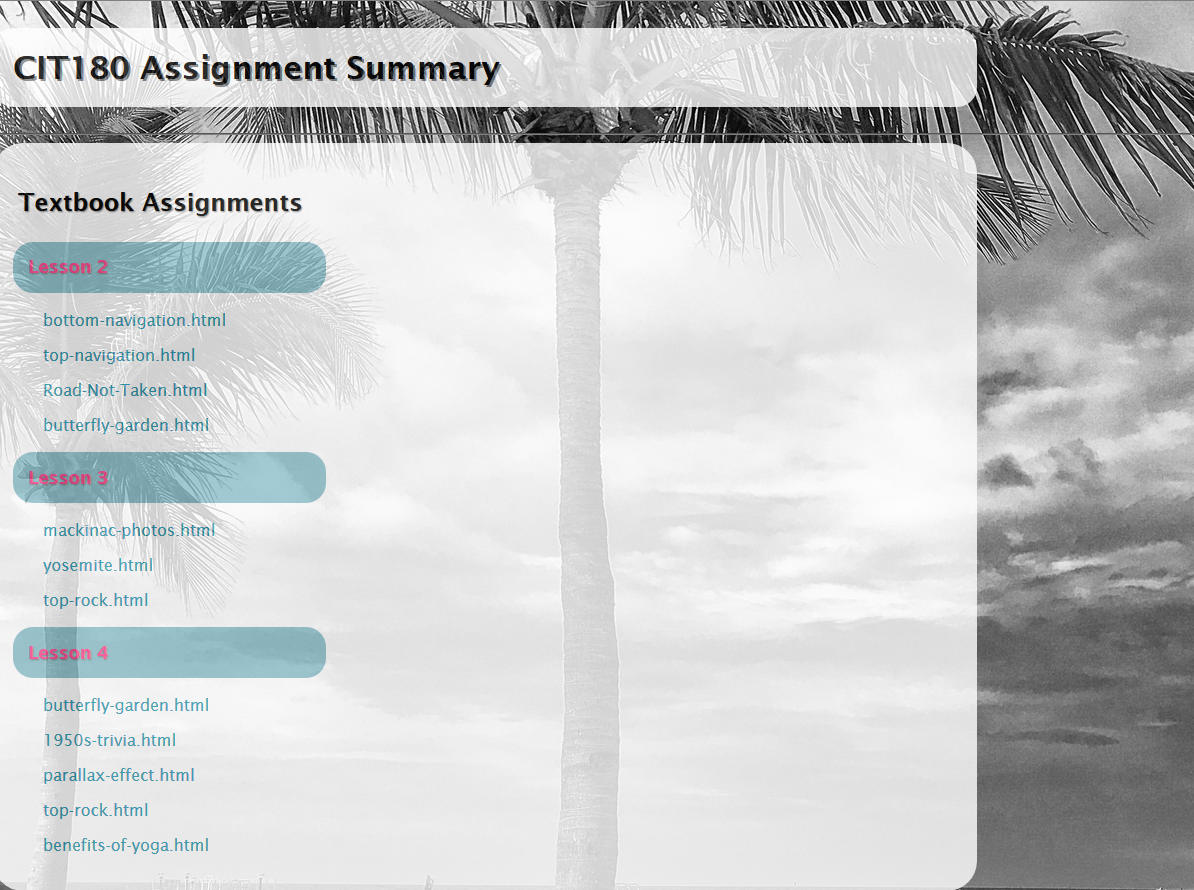
In the example below, additional styling was added to section and paragraph. To see the styling that was used, view: assignment.css Minimum requirements are the bare minimum you need to include to receive all the points. It is ok to do more than the minumum!
b) Add an inline style for the footer that changes the alignment, background-color, color , width and padding 1 point
Example:

4. Save your changes.
1. Transfer the revised assignment page and the assignment css to the server.
2. Open the Lesson4 folder and transfer the <details><summary> page to the Lesson4 folder on the server.
3. Go to your website and view the assignment page live, select the links to make sure they work and that your pages look correct.
| Internal Style Sheet added to the <details><summary> page | 10 points |
| Created an external style sheet for the assignments page and linked it into the page. Created an inline style for the page footer | 10 points |
| Modified text in the assignment page as directed and added links to files created in Lesson 4 . Transferred the pages to the web and checked them "live"to ensure links work, images display, styling displays etc. | 5 points |
| Total | 25 points |